The Seamless Way to Chat With AI.
Chat smarter with AI, organize everything in one place, and boost productivity with powerful tools designed for modern workflows.
Get notified when the app is available for macOS and Windows.
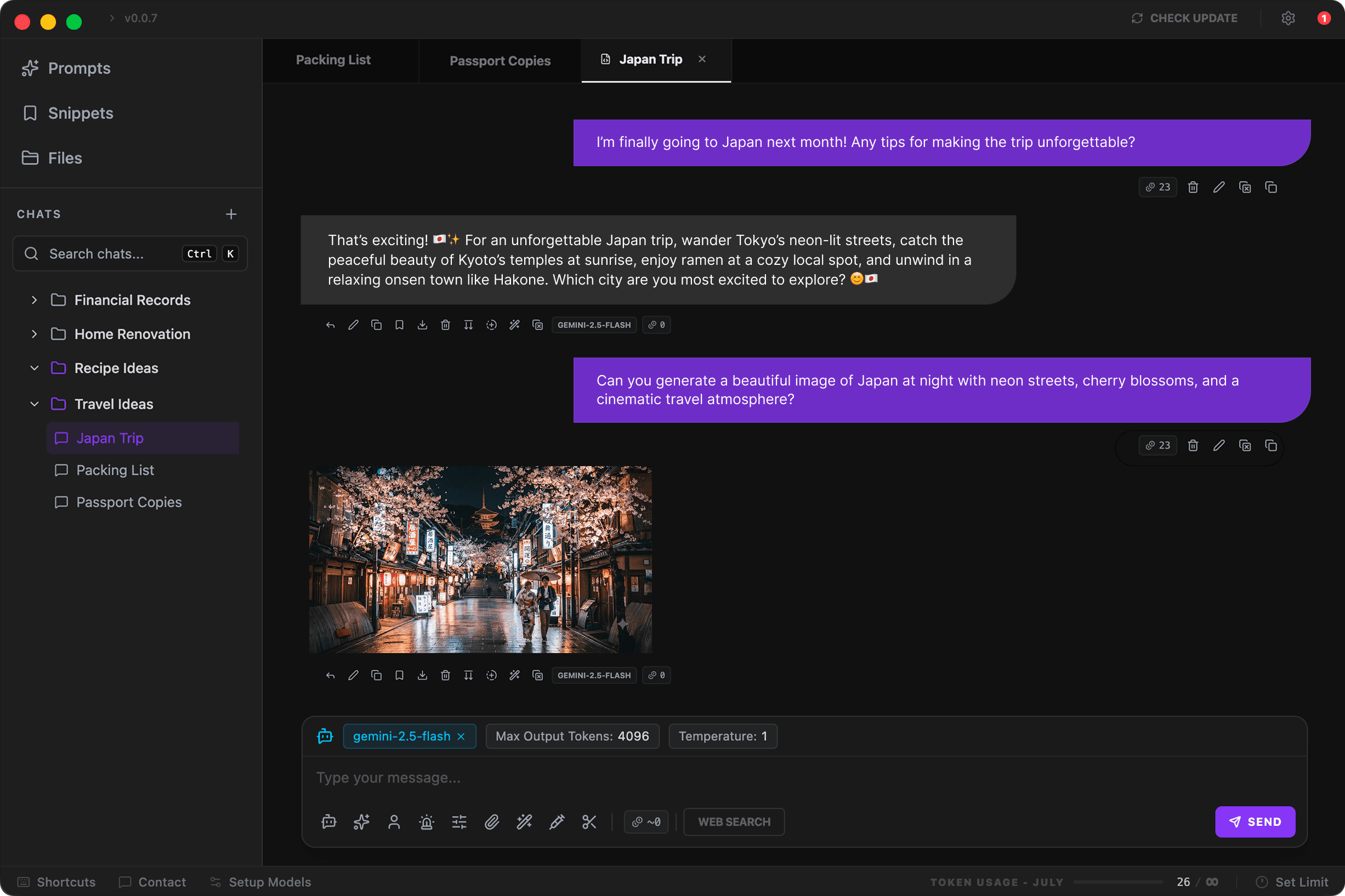
Stop Wasting Time. Stay Organized.
Stop searching through endless chat histories or scattered folders. Save your best prompts, capture reusable text responses, and keep important documents right at your fingertips in one unified knowledge hub.
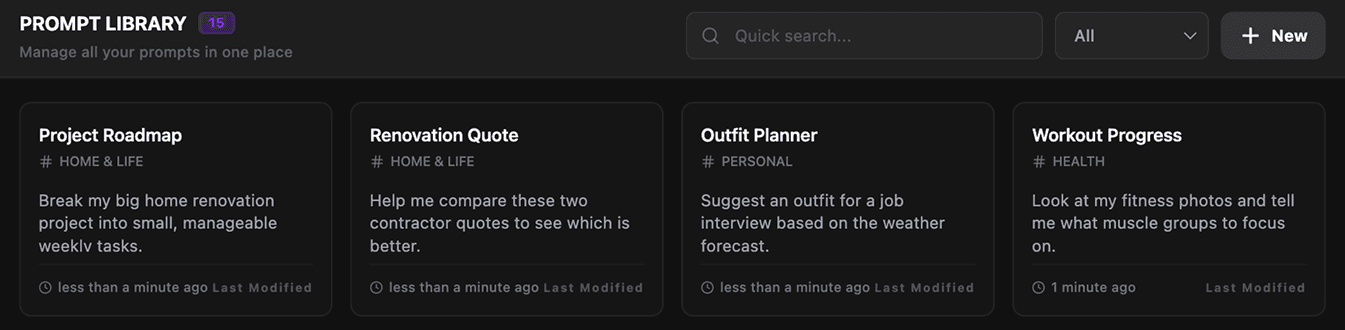
Instant Access to Saved Prompts
Keep your best prompts organized by project and reuse them instantly in any conversation to maintain consistency.
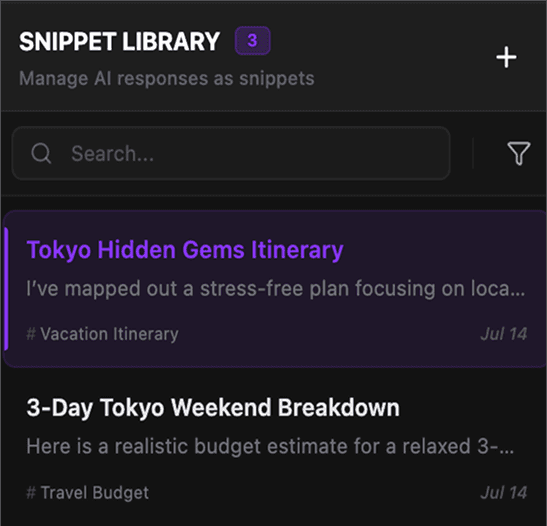
Capture and Reuse Key Responses
Transform any AI output or text snippet into a reusable asset. Build a growing knowledge base that you can reference or paste into any chat with one click.
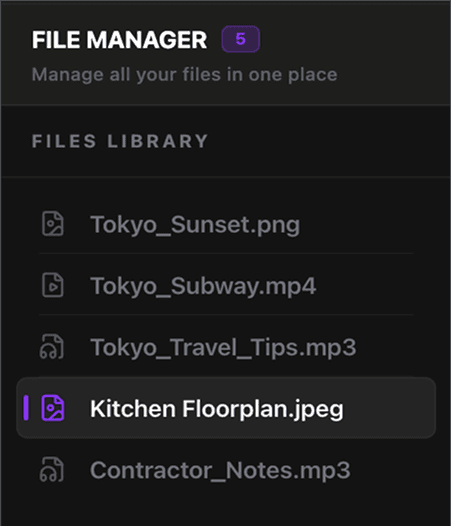
Your Files, Always at Hand
Keep all your important documents organized in a single hub. Drag and drop files to attach them to chats, so you never have to dig through folders again.
All Your AI Models. One Simple Workspace.
Connect to leading LLM APIs or run powerful AI models locally with built-in tools—all from a single, unified AI workspace.
 Chatgpt
 Gemini
 Claude
 Ollama
 Mistral
 Deepseek
Work Smarter. Stay Productive.
Manage multiple AI chats with ease, organize conversations into folders, and switch between workflows instantly. Use powerful shortcuts, quick setup, and smart tools to keep everything organized in one place.
Work Across Multiple Tabs
Run multiple AI conversations side by side, switch between projects instantly, and keep every workflow organized without losing context.
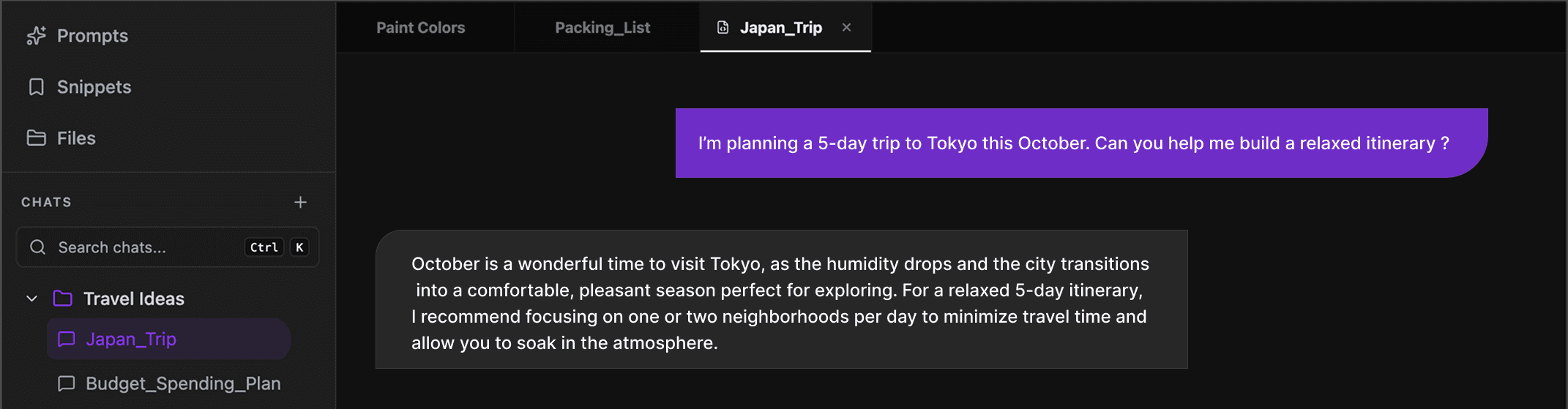
Work Faster with Keyboard Shortcuts
Use powerful keyboard shortcuts to navigate chats, switch tabs, and manage your AI workflow without slowing down.
One‑Click Model Configuration
Connect your preferred AI models in seconds – no complex settings, just pick and start chatting.
Monitor Model Token Usage
Track token consumption and context usage for each model in real time, so you always know usage limits and costs across your AI workflows.
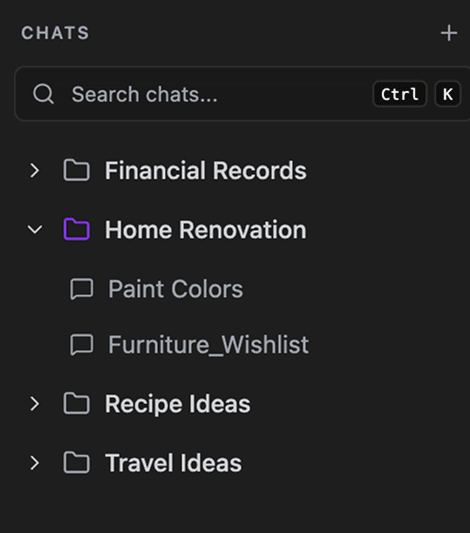
Organize Your AI Conversations
Create folders, rename chats, and structure conversations your way. Keep every project organized and find the right context instantly.
Your Data Stays Yours. Stored Offline.
Keep your conversations, prompts, and files inside a secure private vault on your device. No cloud dependency, no unnecessary data sharing—your AI workspace stays offline, encrypted, and fully under your control.
Everything You Need. Right in Your Chat.
Access powerful AI tools directly from the chat input. Select models, rules, personas, and much more instantly, customize your experience, and create better responses—all from one intelligent workspace.

Select your model
Pick and switch AI models instantly from this panel.
Prompt library
Choose from your saved prompts to speed up your workflow.
Persona selection
Choose from your saved personas and switch easily.
Rule selection
Choose and apply rules from your saved list.
Model parameters
Configure model parameters for more precise and customized outputs.
File attachments
Upload a file or choose one from your saved uploads.
Optimize prompts
Refine your prompts for more accurate and powerful AI responses.
Trim prompt
Remove extra content from prompts to reduce token usage.
Token estimation
Estimate expected token usage before sending your prompt.
Know Your Tokens. Control Your Costs.
Keep track of token usage across every model with real-time insights. Understand spending patterns, optimize your AI usage, and make smarter decisions without unexpected costs.
Token Analytics
Get a transparent view of your token consumption. Track your spending and efficiency across every interaction to stay informed and optimize your model usage effortlessly.
Set Token Usage Limits
Set custom token limits for your AI usage and stay in control of your consumption. Monitor your spending, avoid unexpected usage spikes, and manage your budget with confidence.
Pay Once. Use Forever.
Start with a 7-day free trial and upgrade with a simple one-time purchase. Enjoy lifetime access to all features without subscriptions or recurring payments.
3-Day Free Trial
Try everything first, then pay to continue
$49 base + $10 per additional user
More Features. More Possibilities.
Enhance every conversation with smart chat features designed to improve responses and boost productivity. Use advanced controls, custom settings, and helpful tools to get more accurate, efficient, and powerful results from every AI interaction.
Frequently Asked Questions
Is this a one-time purchase?+
Yes. Pay once and get lifetime access to the app with no recurring subscription.
Are future updates included?+
Yes. All future updates, improvements, and new AI model additions are included at no extra cost.
How do I purchase and activate the app?+
After purchasing, you will receive a license key on your email. Use this key to activate the app and continue using it.
Is my data sent to your servers?+
No. Your data stays locally on your device. We do not store or process your chats, files, or anything on our servers.
Is there a free trial?+
Yes. You can try the app free for 7 days before deciding to purchase.
Is this a desktop app?+
Yes. The app runs locally on your computer and needs to be downloaded and installed.
Can I connect my own AI models?+
Yes. You can connect supported AI models and use them directly inside the app via ollama.
Can I request a new features I need?+
Yes. If a feature you need is not available, you can send us your request and we will consider it for future updates.
Do I need an internet connection?+
It depends on the model you use. Locally downloaded models can run on your device, while cloud-based models require an internet connection.
Still have questions? Contact us